


Introducing Data Lab: One Query Across Your Entire Hardware Stack
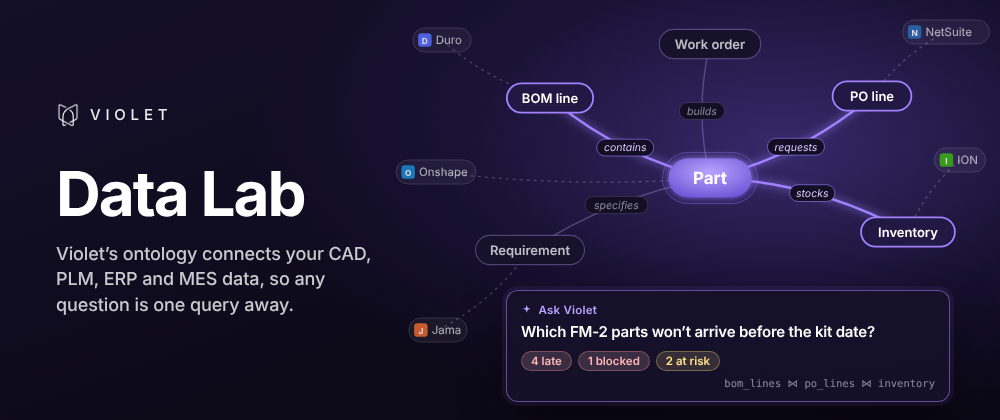
Your data is already connected. Now you can ask it anything.
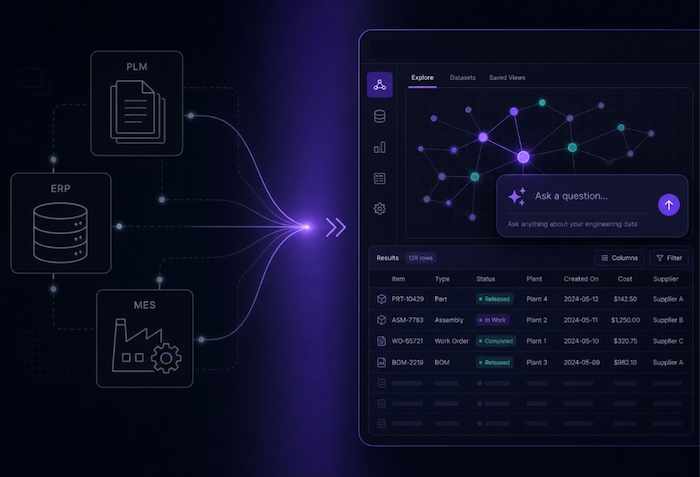
Violet already ingests and updates engineering and manufacturing data programmatically from tools like PLM, ERP and MES. Every record is structured according to Violet's ontology, so a part, a PO line or a requirement means the same thing regardless of which app it came from.
That shared structure makes something new possible: asking any question across all of your data at once. Data Lab is a query workspace built into Violet. Write the SQL query yourself, or Ask Violet a question in plain English. Violet's agent writes the SQL, runs it and charts the answer. Either way, one query covers every connected tool and comes back in seconds.
Ask the question when it comes up
Violet's reports and dashboards cover the questions you plan for. The ones that come up mid-review usually aren't on them: which parts on this assembly are still in design, which open PO lines land after the build date, how many requirements changed since the last baseline. Those questions cross tools by nature. Answering one used to mean building a new report, or finding someone who knew the data model well enough to write the query.
Data Lab makes them self-serve. Anyone in the workspace can ask, and the answer can be pinned so the whole team keeps seeing it.
How it works
- Start from data that's already modeled. The catalog lists data models such as parts, BOMs, PO lines and requirements, each combined across your connected tools. Need a field only one tool tracks? Each integration's source tables are there too.
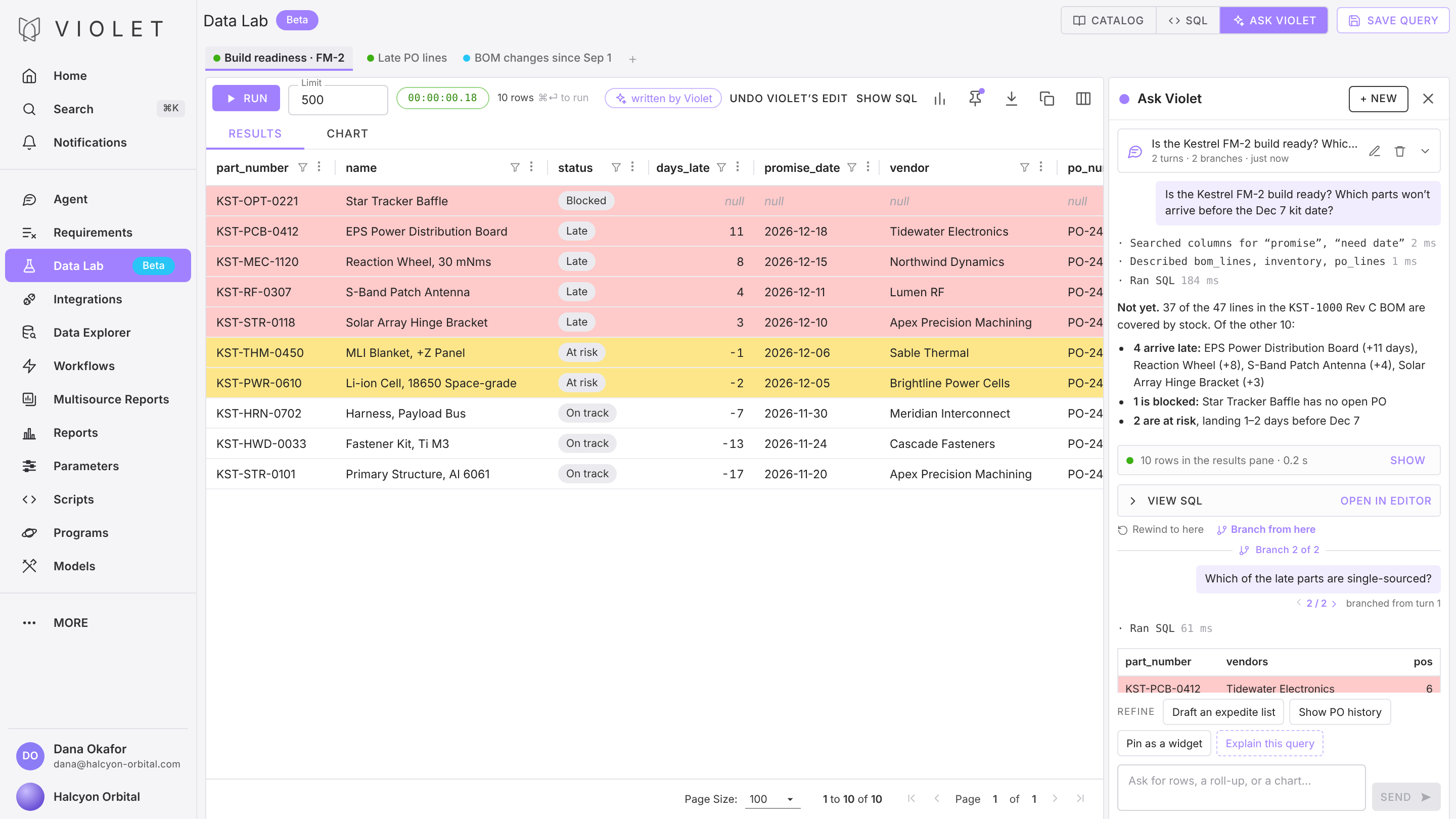
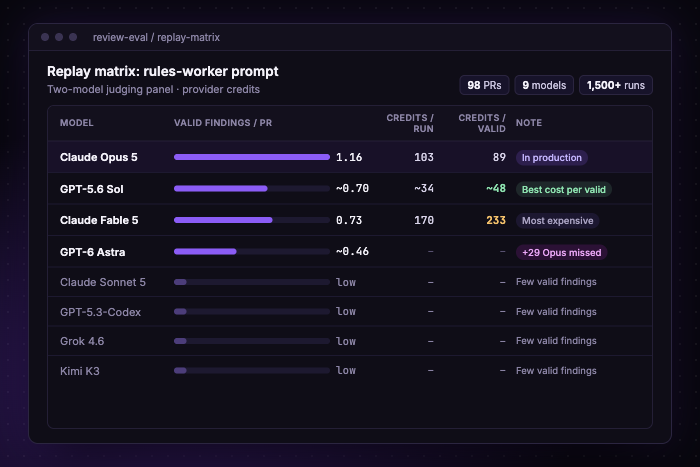
- No SQL? Just ask. Open Ask Violet and type the question the way you'd ask a colleague, like "which assemblies have the most child parts?" It finds the right tables, writes the SQL, runs it and explains the result. Every step is visible, from the tables it read to the query it ran. Ask a follow-up, rewind the conversation, or branch from an earlier message to try another direction. Bring your own key (BYOK): connect OpenAI, Anthropic or a compatible gateway to use your existing provider credits and negotiated rates.
- Or write SQL yourself. A full editor with query tabs, run history, saved queries you can share with your workspace, ⌘⏎ to run, and a stop button for long queries. Anything Ask Violet writes opens in the editor, so you can take over by hand.
- Chart the result. Results land in a grid with conditional formatting, so a Blocked row can turn red. The chart builder turns a result into a bar, line or donut chart in a couple of clicks, and any result exports to CSV.
- Pin it, and it stays live. A pinned query or chart reruns as new data syncs in. If an upstream change breaks the query, Data Lab flags the widget.
- Make it fit your organization. Every organization starts with a predefined set of Data Models. Admins can customize them from Company Settings: add or hide columns and choose which sources feed each one, with a preview before saving.
A build-readiness check makes a good first query. It joins the parts on an assembly to open PO lines and flags anything arriving after its need date. Pinned to the program dashboard, it's the view the team checks before every build review, and it updates as POs change.
Multiply that across every cross-system question your team asks, and here's what changes:
What makes Data Lab possible
Data Lab sits on top of DuckTales, the analytics stack we introduced in June. Two layers make it work: Violet's ontology, which models your data, and DuckDB with DuckLake, which queries it. For how we built it, read DuckTales: Fast Hardware Analytics with DuckDB.
- Violet's ontology. We've written about how the ontology maps every connected tool onto one model (see Why ERP-Centric Workflows Break Down in Modern Manufacturing). In Data Lab, that means one table holds the same kind of record from every system. In our demo workspace, the parts table combines ten sources, including Teamcenter and Arena, so the SQL Ask Violet writes for a question about lifecycle status is a single SELECT against a single table. Connecting another tool, even one from a different CAD and PLM ecosystem like PTC, Dassault or Siemens, doesn't change the query.
- DuckDB and DuckLake. Synced data lands in columnar DuckLake tables, separate from the Postgres database that runs the rest of Violet, and DuckDB queries them in parallel. A lifecycle-status query across those ten sources ran in 639 ms. DuckLake also keeps snapshots, so you can ask what a BOM looked like on September 1 and compare it to today.
Whatever your team needs to know about a program, the answer is already somewhere in your data. Data Lab puts it one question away, and keeps it current.
Try it yourself
Pick a question that comes up in every program review, like build readiness, late PO lines or a BOM cost rollup. Open Data Lab, click Ask Violet and type it in.
Not sure where to start? Try one of these:
- Which parts in released BOMs are still in Draft or In Review?
- For every part in assembly X, how much do we have on hand, and how much is on order?
- Which requirements had their statement change in the last 30 days?
New to Violet? Book a demo here to see Data Lab running on your own data.

Abolish silos.

